Computer Graphics

Assignment 6 - OpenGL texturing and lighting
Martin Heistermann and Valentin Wyss
Computer Graphics Group

Assignment 6

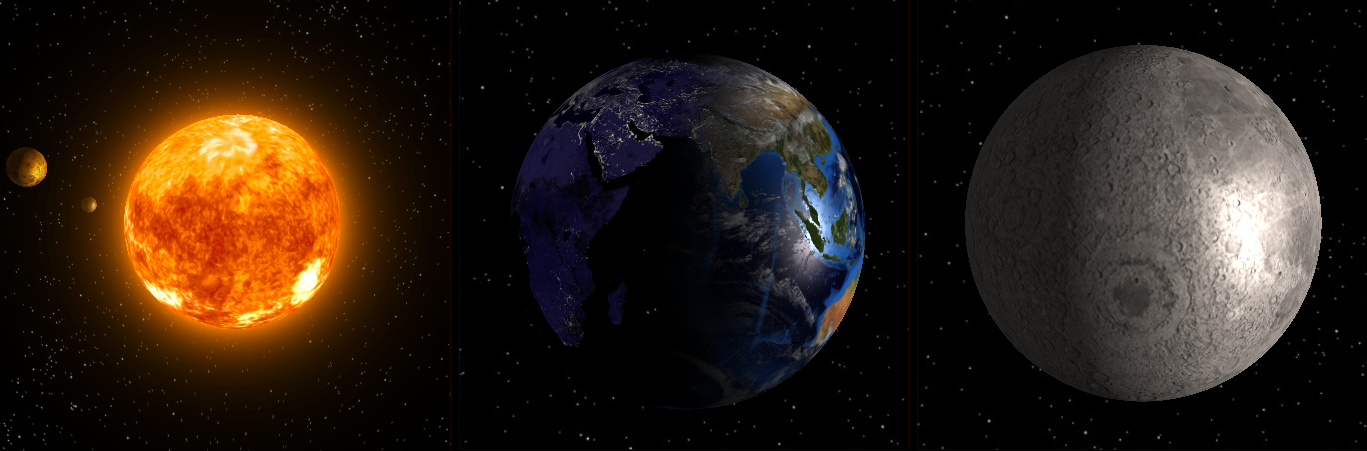
  • Render the Sun’s halo using billboarding
  • Render the planets using the Phong lighting model
  • Combine multiple textures to render Earth
  • (optional) Additional effects and features
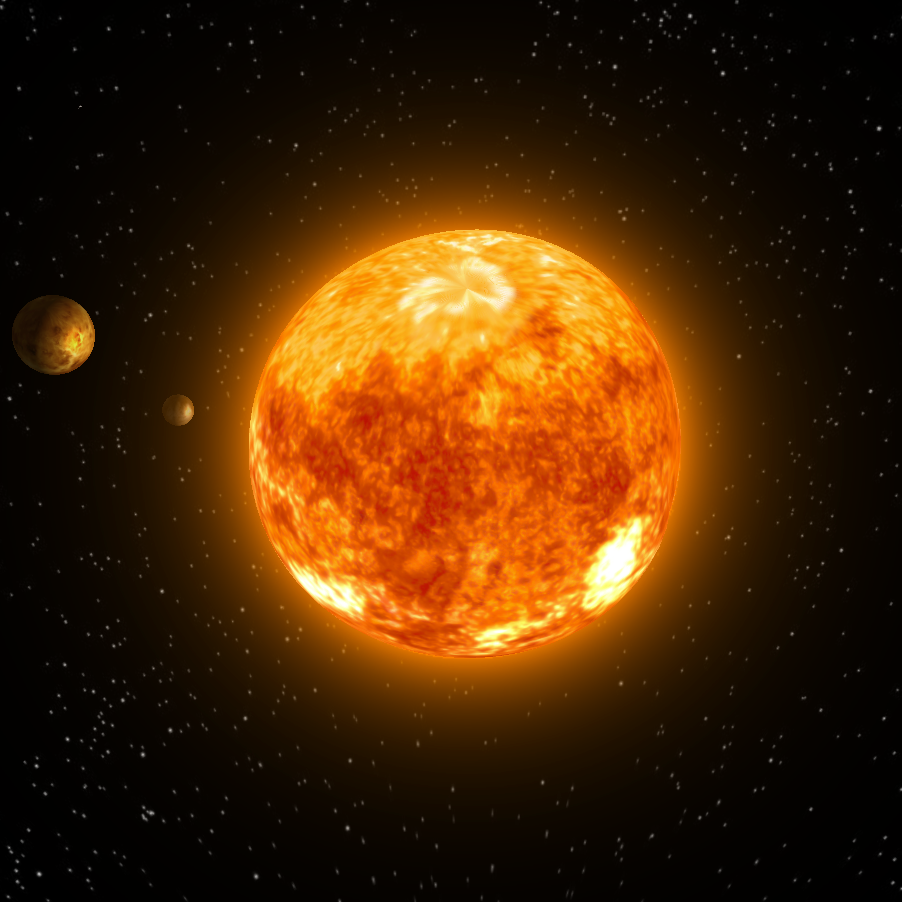
images/practical_07/teaser.png

Billboarding

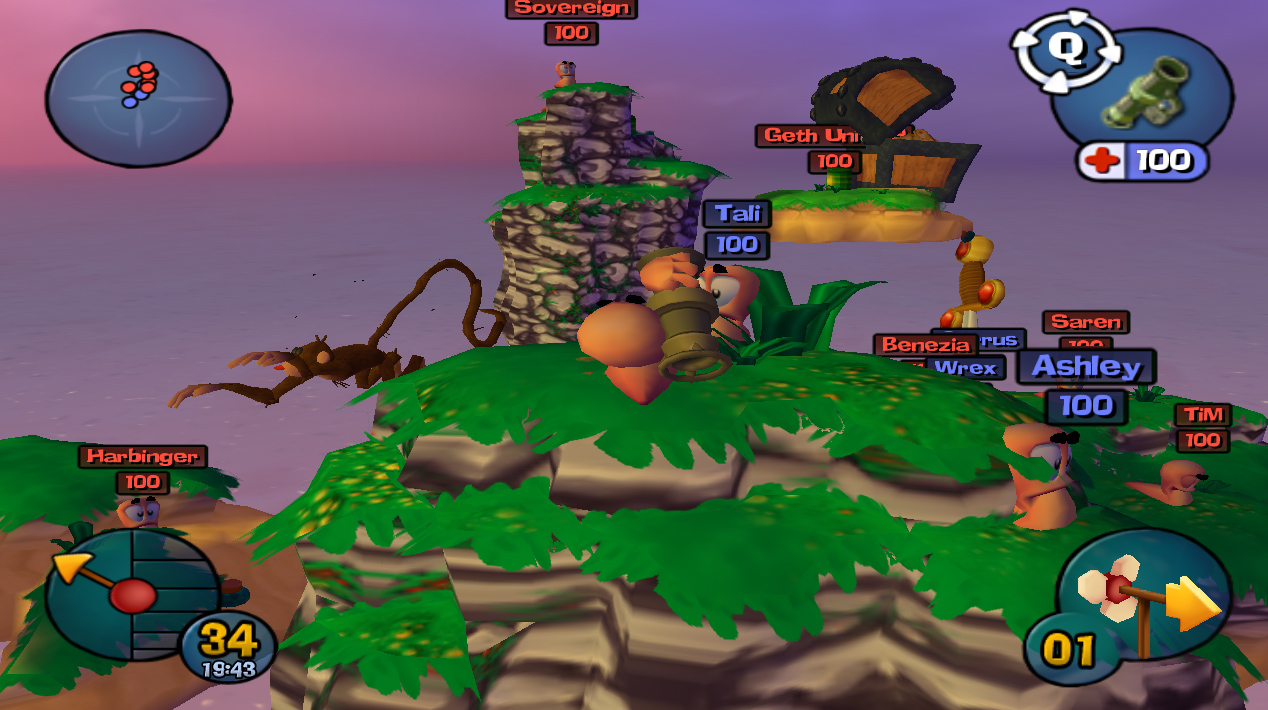
  • 2D object in a 3D scene which always faces the eye.
  • Used e.g. for simulating fire, health bars in games, …
  • We will use billboarding to mimic the Sun’s halo.
images/practical_07/billboard_worms.jpg
images/practical_07/sun_billboard.png

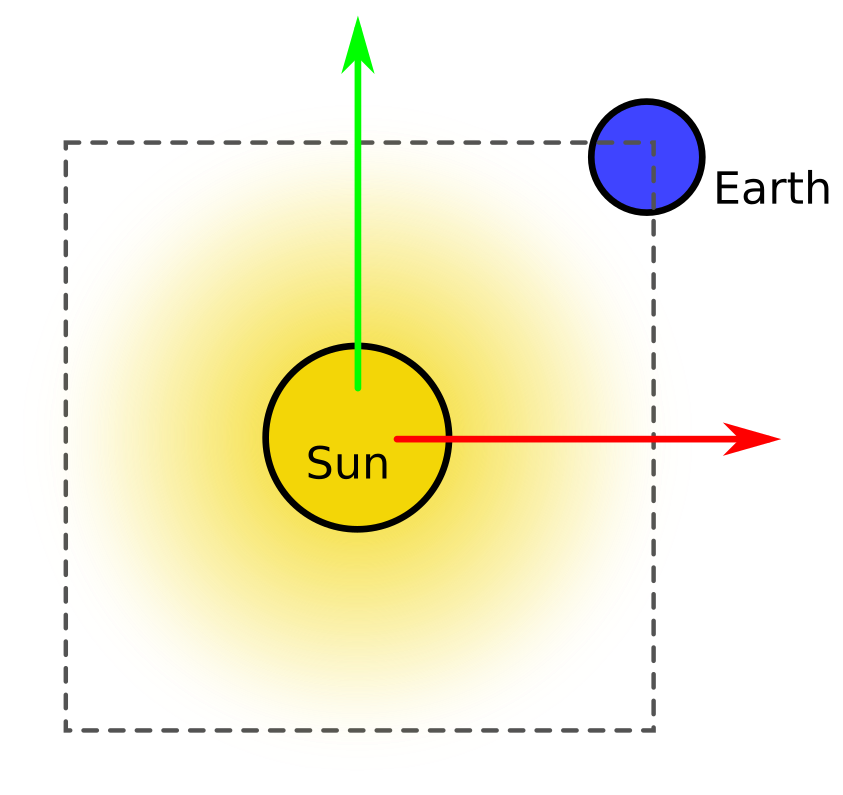
Billboard - Orientation

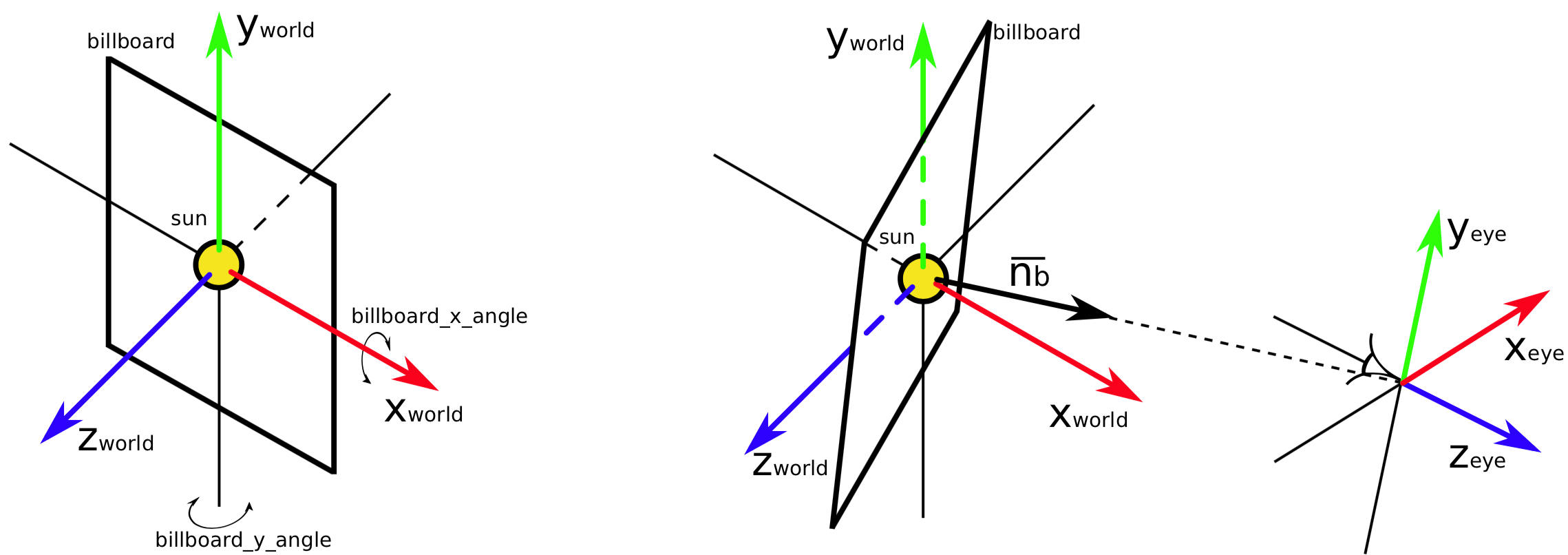
  • The normal of the planar object \(\mathbf{n_{b}}\) points towards the eye.
  • Position stays the same.
  • Rotation around x-axis and y-axis of the world coordinate system.
  • Or: avoid explicit angle computation and set up model matrix directly
images/practical_07/billboard_orientation.png

Billboard - Texture

  • implement the Texture::createSunBillboardTexture method
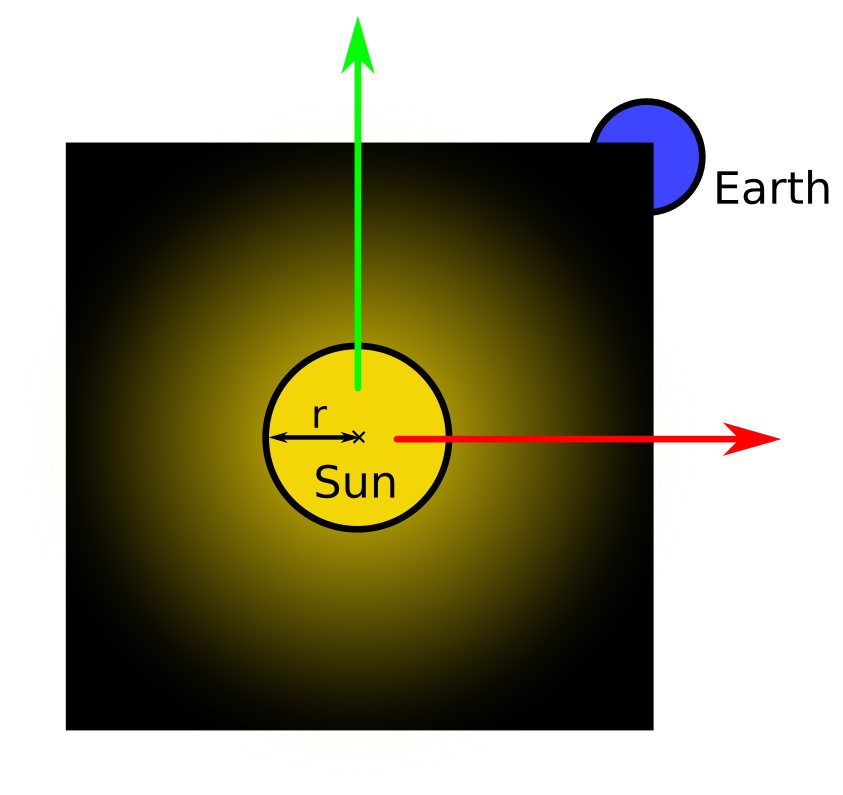
  • Texture pixels modeled as \(\mathbf{p_{u,v}} = (R, G, B, A)\).
  • Opaque within \(r = 150 px\), increasing transparency for \(d > r\)
  • Full transparency on the square borders.
images/practical_07/billboard_texture_1.png
images/practical_07/billboard_texture_2.png

Billboard - Rendering

  • Render with color_shader_.
  • Enable texture blending based on alpha value, see OpenGL reference of the following functions:
    • glEnable
    • glBlendFunc
    • glDisable
  • learnopengl: Blending might be a bit more accessible than the OpenGL reference

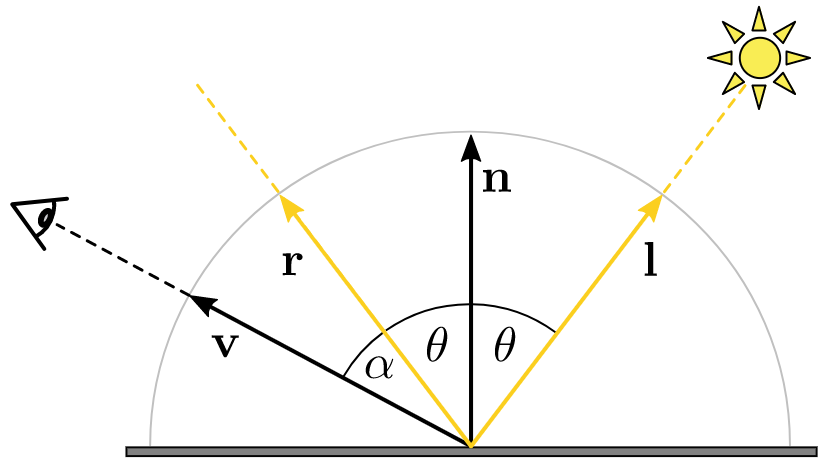
Phong Lighting Model

images/practical_07/phong.png

\[ I = I_{a}m_{a} + I_{l}m_{d}(\mathbf{n}\cdot \mathbf{l}) + I_{l}m_{s}(\mathbf{r} \cdot \mathbf{v})^{s} \]

  • \(I_{a}\) fixed to \(0.2\) intensity of sunlight, \(I_{l} =\) sunlight.
  • \(m_{[a|d|s]}\) is an RGB color sampled from a texture.
  • diffuse: only if \(\mathbf{n}\cdot\mathbf{l} > 0\).
  • specular: only if \(\mathbf{n}\cdot\mathbf{l} > 0\) and \(\mathbf{r}\cdot\mathbf{v} > 0\).

Vertex and Fragment Shaders

// vertex shader

#version 140
#extension GL_ARB_explicit_attrib_location : enable

layout (location = 0) in vec4 v_position;
layout (location = 1) in vec3 v_normal;
layout (location = 2) in vec2 v_texcoord;

out vec2 v2f_texcoord;
out vec3 v2f_normal;
out vec3 v2f_light;
out vec3 v2f_view;

uniform mat4 modelview_projection_matrix;
uniform mat4 modelview_matrix;
uniform mat3 normal_matrix;
uniform vec4 light_position; //in eye space coordinates already

void main()
{
    // compute and assign:
    // v2f_texcoord, v2f_normal, v2f_light, v2f_view and
    // gl_Position
}
// fragment shader

#version 140

in vec3 v2f_normal;
in vec2 v2f_texcoord;
in vec3 v2f_light;
in vec3 v2f_view;

out vec4 f_color;

uniform sampler2D tex;
uniform bool greyscale;

const float shininess = 8.0;
const vec3  sunlight = vec3(1.0, 0.941, 0.898);

void main()
{
    // compute and assign `f_color`
}

Phong Lighting Model - Shaders

  • Uniform variables:
    • modelview_matrix
    • normal_matrix - transformation of normals to view coord. system
    • light_position - point light source, fixed to \((0, 0, 0)\)
  • vertex shader (phong.vert)
    • Compute vectors \(\mathbf{n}\), \(\mathbf{l}\), \(\mathbf{v}\) (l and v not normalized)
  • fragment shader (phong.color)
    • Compute vector \(\mathbf{r}\).
    • Compute the fragment color using the Phong lighting model formula and the given texture.
    • Access the texture using texture(tex, coords) (use .rgb, .r)
    • Remember to re-normalize interpolated unit vectors!

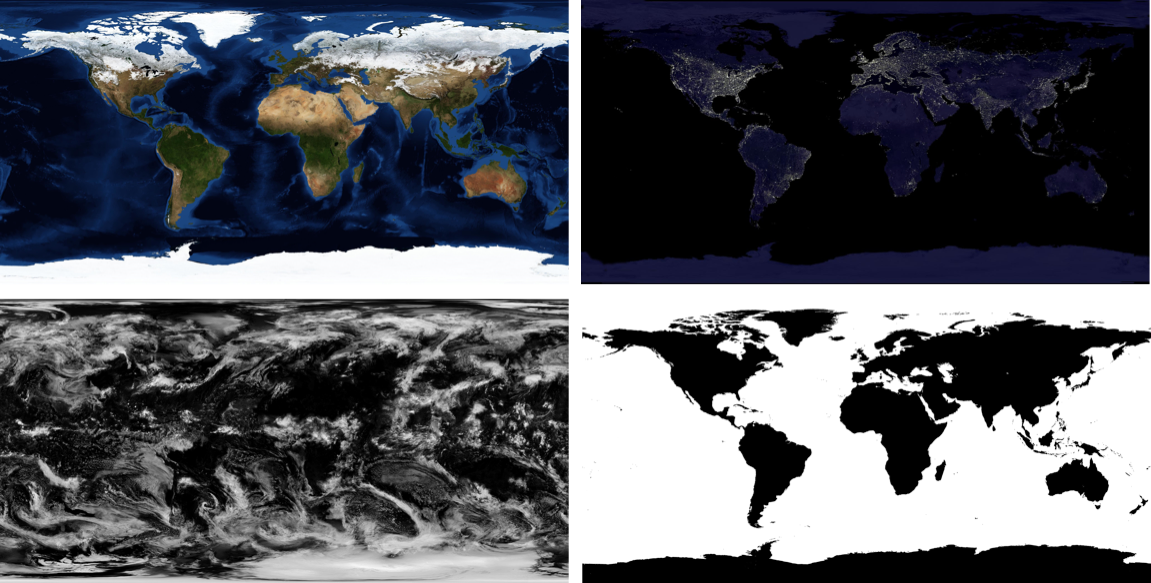
Shading Earth - Textures

  • day, night – 3 channels (RGB)
  • cloudinesss – 1 channel (grayscale)
  • gloss – 1 channel (grayscale)
images/practical_07/textures.png

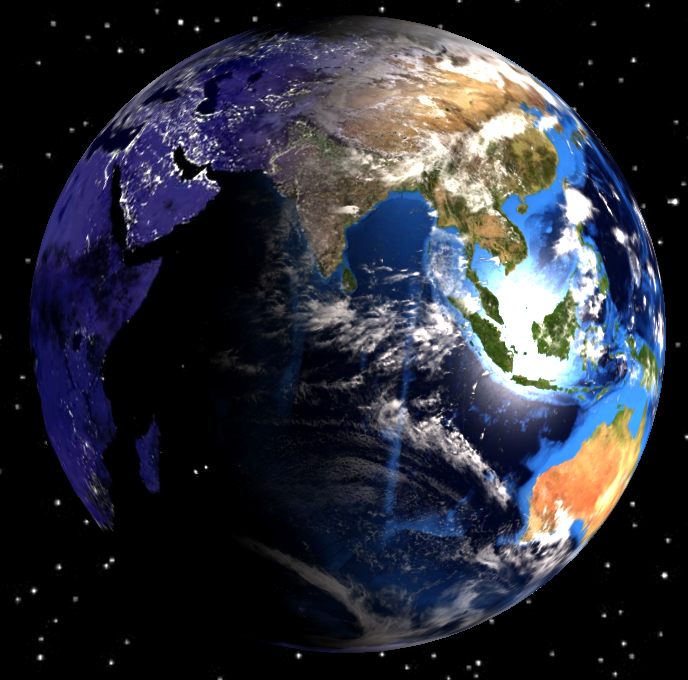
Shading Earth - Mixing Requirements

Use the Phong lighting model (reuse phong.vert).

  • Multi-texturing:
    • day - the hemisphere facing the Sun, night - the opposite hemisphere
    • only water is specular, cloudiness gives proportion of specularity
    • clouds only visible on day part
    • night texture not visible under clouds
    • clouds rendered with Lambertian lighting model (no specularity)
    • specular component of the material is \((1, 1, 1)\)
images/practical_07/earth.png

Shading Earth - Suggested Steps

  1. Combine gloss and cloudiness textures to get a grayscale value specifying the amount of specularity (\([0, 1]\)).
  2. Get a color of the day component by applying Phong lighting model (disregarding the clouds) and day texture.
  3. Get the final color of the day component by interpolating between the current day and clouds rendered with Lambertian lighting model; interpolation weight is given by cloudiness.
  4. Get a color of the night component by sampling night texture and scale it down by cloudiness.
  5. Mix day and night components by linear interpolation where you can use diffuse component of the Phong lighting model as the interpolation weight.

Note that GLSL provides a mix function where \(\text{mix}(x,y,\alpha) = (1-\alpha) x + \alpha y\)

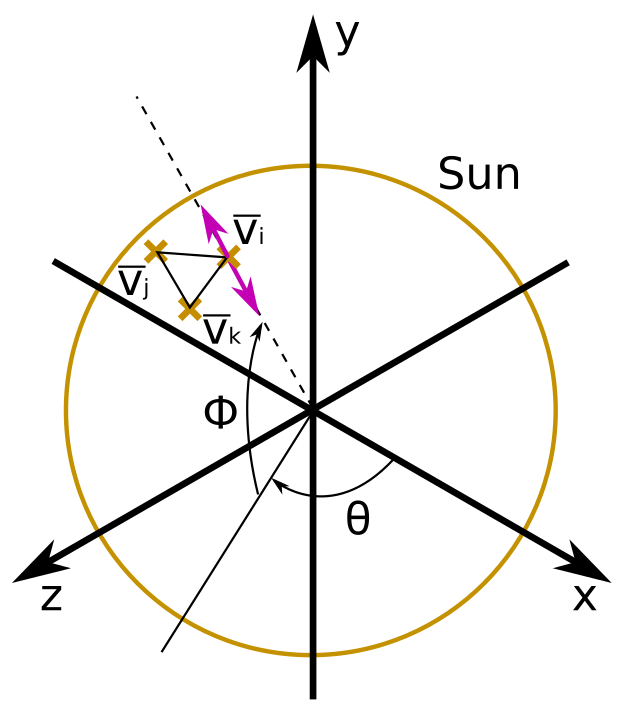
Solar Surface Disturbance (optional)

  • Implement oscillations of the Sun’s surface geometry.
  • Devise a function \(f(\theta, \phi, t)\) which computes the offset (t is time). Use trigonometric functions. \[ \mathbf{v_{i}^{new}} = \mathbf{v_{i}}(1 + f(\theta, \phi, t)) \]
images/practical_07/sun_surface.png

More fancy effects or realism (optional)

Suggestions:

  • Realism toggles to disable ambient light and lower specularity
  • Moving clouds
  • Add Saturn with its rings (suitable textures are included)
  • Proper star background: do not translate
  • Fancy camera effects (e.g. Hitchcock zoom)
  • Mouse or gamepad controls
  • Normal maps (textures included)
  • Post-processing effects (look at how greyscale is implemented)
  • Particle effects for ship drive, or solar flares

Questions?